25B IT Essentials Practice Test
$69.00
- Buy to unlock unlimited access to all Quiz questions and Answers in this Quiz.
- After purchase you can print a PDF of the whole quiz at any point. The PDF will contain the questions and the correct answers.
About this Exam
The IT Essentials (often abbreviated as ITE, and typically associated with foundational certifications like CompTIA A+ but specifically referenced here as the 25B IT Essentials) is a critical entry-level course designed for aspiring information technology professionals. It provides a comprehensive introduction to the vital knowledge and practical skills necessary to build, troubleshoot, secure, and maintain computer systems and basic networks.
This course and its corresponding examination are ideally suited for students exploring an IT career, career changers looking to pivot into the tech sector, or anyone seeking to validate their core technical fluency in a rapidly evolving digital world.
Ready to test your knowledge?
Buy Now to Access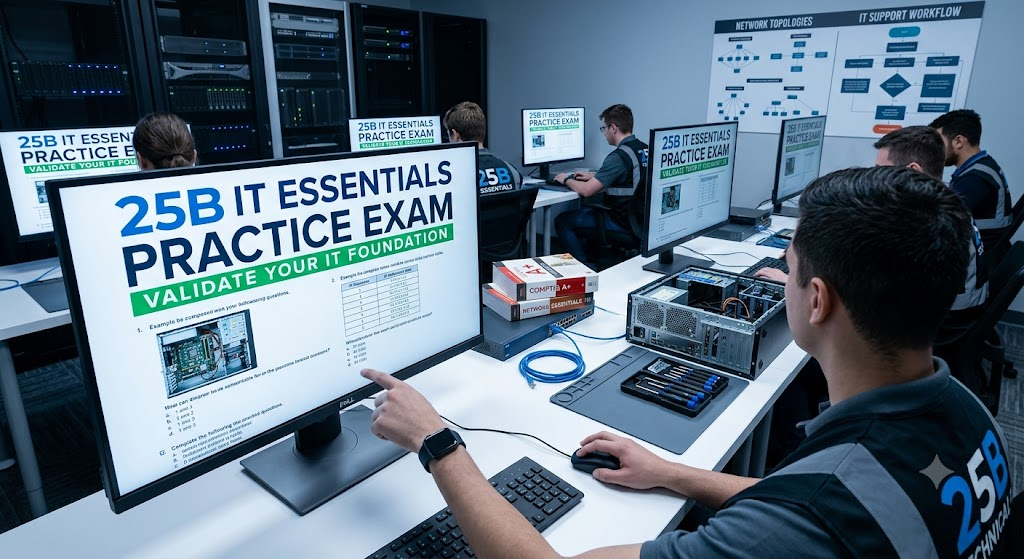
Additional Information
What the Course Entails and Exam Details
The 25B IT Essentials curriculum is meticulously structured to cover the fundamental pillars of a successful IT support role. Throughout the course, students engage in hands-on learning, often utilizing virtual labs and physical equipment to master key concepts.
The primary syllabus areas include:
Hardware Fundamentals: Understanding and managing essential components including CPUs, RAM, storage devices (HDDs, SSDs), motherboards, power supplies, and cooling systems.
Operating Systems (OS): Detailed instruction on installing, configuring, and troubleshooting common operating systems, primarily focused on Microsoft Windows, with introductions to Linux and macOS.
Software and Applications: Managing installations, diagnosing software conflicts, and ensuring application compatibility and security.
Networking Concepts: Introduction to basic network types (LAN, WAN, PAN), networking hardware (routers, switches, access points), protocols (TCP/IP, DHCP, DNS), and basic configuration.
Mobile Devices: Configuring and supporting laptops, tablets, and smartphones, including operating systems (iOS, Android), connectivity, and synchronization.
Security Principles: Essential security concepts, identifying common threats (malware, phishing), implementing basic security measures like firewalls, strong passwords, and data encryption.
Troubleshooting Methodology: A core component focusing on systematic approaches to identifying problems, generating solutions, and documenting processes for all hardware and software issues.
Operational Procedures: Best practices for safety, professionalism, communication skills, and environmental controls in a technical support environment.
What to Expect in the Final Exam
While the exact structure of the 25B IT Essentials final examination can vary depending on the specific administering institution or program (as this title often maps to localized vocational or specific organizational training rather than a single global standard like CompTIA A+), candidates should prepare for a comprehensive assessment that validates both knowledge and practical application.
Exam Format: The test is usually a computer-based assessment. Expect a strong mix of multiple-choice questions designed to test theoretical knowledge and scenario-based questions that evaluate your ability to apply concepts to real-world problems. Many modern versions also incorporate performance-based questions (PBQs) or simulation environments where you must perform specific technical tasks within a virtual environment.
Passing Score Requirements: Passing scores vary significantly. For institutional versions, 70% to 80% is common. Always check with your instructor or testing program administrator for the precise threshold required to pass and earn your certificate.
Time Limits: Candidates are typically allotted a strict time limit, often between 60 and 90 minutes. Effective time management is crucial.
Specific Rules: This is generally a closed-book examination. You will not be permitted to use external resources, notes, or mobile devices. You must provide valid identification at the time of the test.
How to Study and Exam Centers
Effective preparation requires a multi-faceted approach that balances conceptual understanding with hands-on practice.
Engage with official coursework: Thoroughly review the provided textbooks, lab manuals, and all official training materials.
Utilize Practice Tests: Practice exams are your best diagnostic tool. They help you understand the question format and identify your knowledge gaps. Analyze your incorrect answers.
Hands-on Practice is Essential: Do not skip the labs. If possible, set up your own practice environment using older hardware or virtualization software to practice OS installations, configurations, and basic networking tasks.
Form Study Groups: Collaborating with peers can help clarify difficult topics and reinforce your learning through teaching.
Exam Centers and Testing Portals:
The administration of the 25B IT Essentials examination is typically managed by the educational institution or organization providing the training. There are several common methods for taking this test:
Authorized Academic Institutions: The most common location is the specific school, vocational college, or training facility where you completed the IT Essentials course. The final exam is often administered directly by instructors within an internal testing environment.
Online Portals: Some programs utilize specialized online testing platforms. These often require the use of secure proctoring software that monitors your webcam and screen to ensure exam integrity while you take the test from a remote location.
Specific Organizational Facilities: If the training is part of a military, government, or large corporate training program (common with the "25B" nomenclature), the test may be administered in an internal, specialized training center.
Job Opportunities from the Course
Earning your 25B IT Essentials certification or successfully completing the corresponding program is a crucial first step into the IT workforce. It validates that you have the required foundation to excel in various entry-level roles across diverse industries.
Potential career paths and job titles include:
Help Desk Technician
IT Support Specialist
Desktop Support Technician
Computer Repair Technician
Junior Network Administrator
Field Service Technician
IT Associate
Technical Support Representative
Frequently Asked Questions
Reviews
5.0
Based on 0 reviews
Leave a Review
No reviews yet. Be the first to review!