
Google Educator Level 2 Certification Practice Exam
$69.00
- Buy to unlock unlimited access to all Quiz questions and Answers in this Quiz.
- After purchase you can print a PDF of the whole quiz at any point. The PDF will contain the questions and the correct answers.
About this Exam
The Google Certified Educator Level 2 Certification is an advanced credential designed for educators who have mastered the basics of Google Workspace for Education tools and are looking to validate their expertise in creating powerful, technology-rich learning environments.
This certification signifies that an educator can go beyond simple tool proficiency and can deeply integrate these resources to redefine their teaching, streamline administrative tasks, and foster critical 21st-century skills in their students.
It is intended for tech-savvy teachers, instructional coaches, digital learning specialists, and administrators who want to lead innovation within their schools.
Ready to test your knowledge?
Buy Now to Access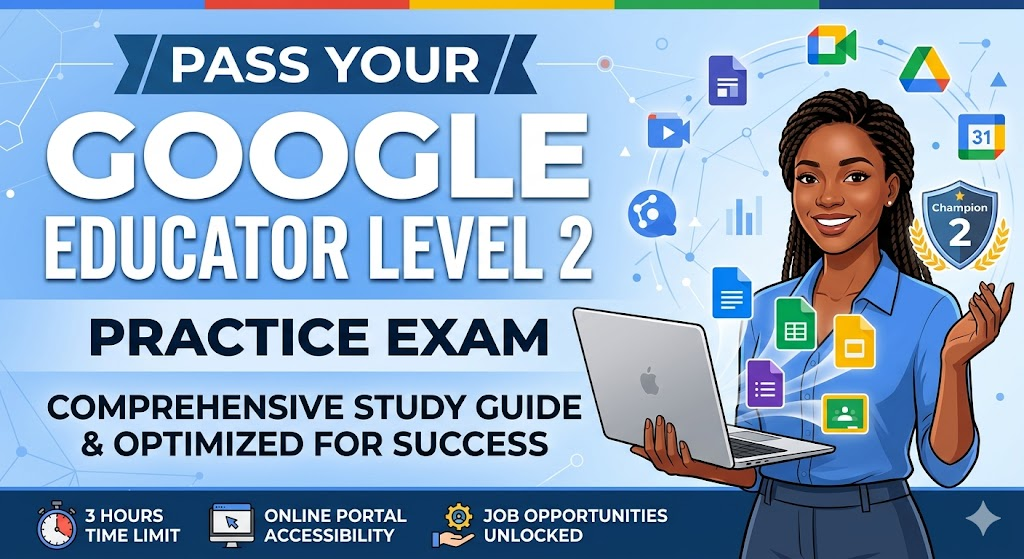
Additional Information
What the Course Entails and Exam Details
This examination is not about knowing where a button is; it is about knowing how to apply Google’s tools creatively to solve complex pedagogical challenges.
The syllabus covers the intermediate and advanced use of the Google Workspace for Education suite.
Core topics and skills assessed include:
Advanced Google Classroom: Utilizing topics for organization, managing student discussions, and integrating diverse digital tools.
Data Analysis in Google Sheets: Creating pivot tables, pivot charts, conditional formatting, and utilizing advanced formulas (like Sort, Filter, CountIF) to analyze student performance data.
Interactive Google Slides: Designating interactive presentations, using master slides for consistency, and integrating animations.
Complex Google Forms: Designing quizzes with feedback, branching forms ("choose your own adventure"), and file upload capabilities.
Professional Google Sites: building robust classroom websites, embedding calendars, and showcasing student portfolios.
YouTube for Education: Managing playlists, creating video summary tasks, and understanding flipped classroom models using video.
Digital Citizenship and Safety: Leading initiatives on advanced search techniques, copyright, and fostering responsible online behavior.
What to Expect in the Final Exam
The Google Certified Educator Level 2 exam is a comprehensive assessment that tests your ability to apply your knowledge in real-world scenarios.
Unlike some standardized tests, this exam focuses heavily on pedagogical application.
Exam Format: The test uses a blended format. You will encounter standard multiple-choice and multiple-select questions that test foundational knowledge. However, the core of the exam consists of scenario-based case studies. In these scenarios, you are given a hypothetical educational challenge (e.g., "A teacher needs to organize a multi-grade project") and must select the correct series of steps to accomplish the task within simulated Google tools.
Time Limit: You will have 3 hours (180 minutes) to complete the entire examination. This time can pass quickly, so familiarity with the tools is crucial.
Passing Score: To earn your certification, you must achieve a passing score of approximately 80% or higher.
Rules: The exam is administered online and is proctored using your webcam and specific browser locks to ensure integrity. You must remain in the view of the camera for the duration.
How to Study and Exam Centers
Preparation for the Level 2 exam requires a mix of theoretical study and hands-on practice. It is significantly more challenging than Level 1, demanding a genuine understanding of intermediate tool functions.
Official Study Path: Your first stop should be the official Google for Education Learning Center. Google offers a dedicated "Intermediate Use of Google Workspace for Education" course. This course is specifically designed to cover the exam’s syllabus through video tutorials, written guides, and lesson plans.
Hands-on Application: Theoretical knowledge is insufficient for this test. You must practice the advanced features. Dedicate time to building sample pivot tables from random data, creating a branching Google Form, and designing a multi-page classroom Site. If you can do these tasks smoothly, you will perform well.
Scenario Practice: Try to anticipate the types of scenarios you will face. For instance, think about how you would use Google Sheets and Google Forms together to automate a grading and feedback system. Use practice exams specifically focusing on scenario-based questions to build your speed and confidence.
Where to Take the Exam: The Google Certified Educator exams are entirely online. There is no need to visit a physical testing center. You will register through the Google for Education certification portal, pay the exam fee, and receive a launch link. You must have a strong internet connection, a quiet room, and a functional webcam for the proctored experience.
Job Opportunities from the Course
Earning your Google Certified Educator Level 2 status demonstrates to current and future employers that you are a dedicated leader in educational technology integration.
While many certified educators remain in the classroom, this credential unlocks advanced career paths and leadership roles.
Here is a list of specific job titles and career paths this certification unlocks:
Instructional Technology Coach
Digital Learning Specialist
Educational Technology Integrationist
Instructional Designer (especially in K-12 and Higher Ed)
Curriculum Developer with a focus on Technology
School or District Technology Coordinator
Professional Development Facilitator
Google for Education Certified Trainer (Level 2 is a prerequisite)
Google for Education Certified Coach
Google Innovation Lead
This study guide provides the essential knowledge to begin your journey toward validation.
Stay focused, practice deeply, and you will be ready to pass your Google Educator Level 2 practice exam and final test with confidence.
Frequently Asked Questions
Reviews
5.0
Based on 0 reviews
Leave a Review
No reviews yet. Be the first to review!