
Unity VR Developer Practice Test
$69.00
- Buy to unlock unlimited access to all Quiz questions and Answers in this Quiz.
- After purchase you can print a PDF of the whole quiz at any point. The PDF will contain the questions and the correct answers.
About this Exam
The Unity VR Developer certification, officially known as the Unity Certified User: VR Developer, is an entry-level credential designed for aspiring creators, students, and professionals with foundational skills in both Unity and C# programming. It validates your ability to build interactive, real-time 3D virtual reality experiences. This certification is the ideal first step to demonstrate your technical proficiency to employers and postsecondary programs, paving the way for a career in the rapidly growing field of immersive technology.
Ready to test your knowledge?
Buy Now to Access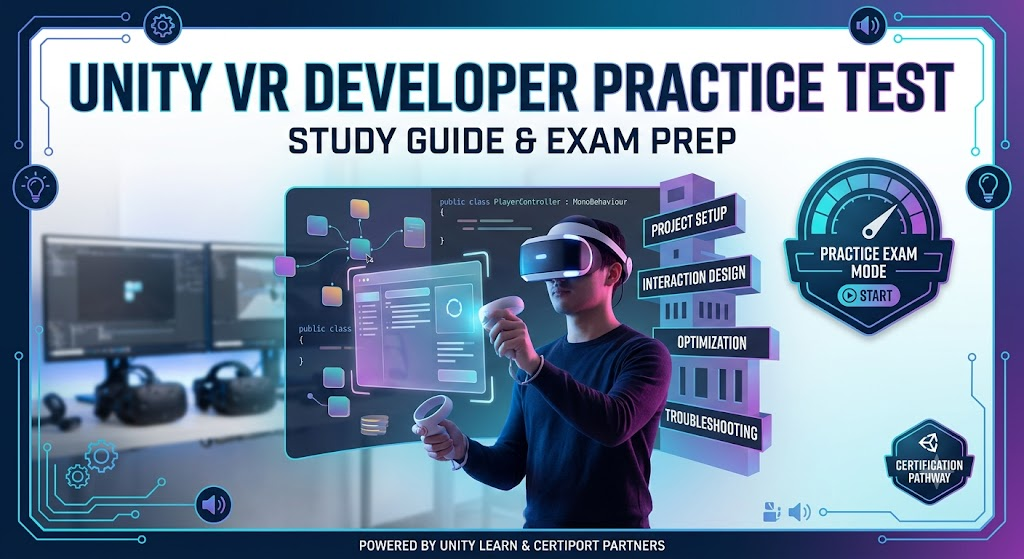
Additional Information
What the Course Entails and Exam Details
To succeed in this exam, you must master several core domains. The practice test focuses on the standard syllabus, which includes:
VR Setup and Project Management: You must know how to configure a Unity project for specific VR platforms. This involves using the Package Manager, importing assets, managing prefabs, and selecting the appropriate rendering pipeline (e.g., Universal Render Pipeline) for different headsets. You must also understand the concept of world scale in Unity compared to real-world dimensions.
VR Interaction Implementation: You need to implement basic user interfaces that work within a 3D world space, manage spatial audio, and determine the necessary components for physical interaction, such as Colliders, Rigidbodies, and the XR Grab Interactable from the XR Interaction Toolkit. Crucially, you must understand various player locomotion methods, including teleporting and continuous movement, and their effect on user comfort.
VR Optimization: This section tests your ability to make performance-critical decisions, such as optimizing textures, reducing poly counts, managing lighting and shadows, and understanding how latency impacts the user experience.
Troubleshooting and Playtesting: You must identify common VR development issues found during playtesting, like missing colliders, incorrect settings, or syntax errors, and know how to fix them using logs from the Console.
What to Expect in the Final Exam
The official final exam, administered by Certiport, is a formal proctored assessment. Here are the key details:
Format: The exam consists of approximately 40-50 questions. These are predominantly multiple-choice, matching, and "point-and-click" in-application simulations, where you must perform a specific task within the Unity interface.
Time Limit: You will have 50 minutes to complete the exam. This requires efficient navigation and a solid understanding of the Unity interface.
Passing Score: The exam is scored on a scale from 1 to 1000. You must achieve a minimum score of 700 to pass and earn your certification.
Rules: The exam is closed-book. You are not allowed to use any external notes, resources, or the internet. No prior programming code can be referenced. You will be monitored by a proctor, either in-person or via a remote solution.
How to Study and Exam Centers
Preparation is key to passing the Unity VR Developer exam. Here are the best ways to prepare:
Actionable Study Strategies:
Follow the official learning path: Unity provides a comprehensive "Create with VR" pathway on Unity Learn, designed specifically to cover the exam objectives. Complete this path from start to finish.
Take practice tests: Utilize official practice exams from Certiport (GMetrix) or other reputable partners. These tests mirror the actual exam format and time limit, helping you identify weak areas.
Build your own projects: Apply what you learn by building simple VR scenes. Experiment with different interaction types, build for multiple VR headsets (e.g., Meta Quest, HTC Vive), and try to optimize a complex scene.
Review the Exam Objectives: Download the detailed "Exam Objectives" document from Unity and go through it line by line to ensure you have practical knowledge of every bullet point.
Exam Centers and Testing:
The Unity Certified User exams are delivered exclusively by Certiport, a Pearson VUE business.
Physical Testing Centers: Most tests are taken at Authorized Testing Centers (CATCs). These are often academic institutions, such as high schools and colleges, or dedicated professional training centers.
Online Proctoring: For individual candidates, Certiport offers a "Certiport Exams from Home" solution, which allows you to take the proctored exam from your own computer with a remote proctor.
You can schedule your exam by finding a CATC near you or registering for an online session through the Certiport website.
Job Opportunities from the Course
Earning the Unity Certified User: VR Developer credential validates your foundational skills, helping you secure entry-level roles across a wide array of industries, including gaming, entertainment, education, medical simulation, and corporate training.
Job Titles and Career Paths Unlocked:
Entry-Level VR Developer
XR Gameplay Engineer
Junior Unity Developer
Technical Artist
VR Simulation Designer
Immersive Experiences Creator
Unity QA Analyst (with a focus on XR)
Frequently Asked Questions
Reviews
5.0
Based on 0 reviews
Leave a Review
No reviews yet. Be the first to review!