University of Central Florida (UCF) CGS2100 Computer Fundamentals for Business Practice Exam 2
$69.00
- Buy to unlock unlimited access to all Quiz questions and Answers in this Quiz.
- After purchase you can print a PDF of the whole quiz at any point. The PDF will contain the questions and the correct answers.
About this Exam
Welcome to your comprehensive study guide for the UCF CGS2100 Computer Fundamentals for Business Practice Exam 2. This course, offered at the University of Central Florida, is a vital introduction to essential technology concepts and software applications critical for success in the modern business world. It is specifically designed for business majors to build a strong foundation in digital literacy, data management, and productivity tools. Mastering this course ensures you have the practical skills needed to thrive in any corporate environment. Practice Exam 2 is a crucial checkpoint to validate your learning and prepare you for the final hurdle.
Ready to test your knowledge?
Buy Now to Access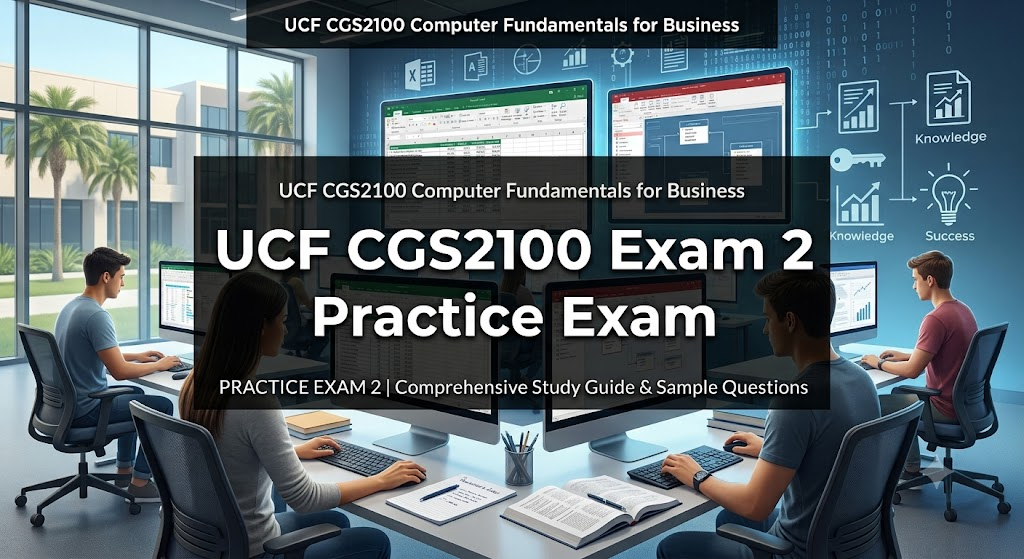
Additional Information
What the Course Entails and Exam Details
The CGS2100 course covers a broad range of topics aimed at practical business application. This section of the curriculum, focusing on Exam 2, primarily emphasizes advanced application usage and foundational database concepts. Key skills and syllabus areas include:
Microsoft Excel: Advanced techniques including complex formulas and functions (logical, lookup, financial), data analysis tools (PivotTables, PivotCharts), data validation, and scenario management.
Microsoft Access: Introduction to relational databases. This includes designing tables, defining relationships, creating queries (using calculation and criteria), designing forms for data entry, and generating professional reports.
Information Systems Concepts: Understanding the role of databases and data management in business decision-making.
Integration: Learning how to leverage multiple Microsoft Office applications together to solve business problems efficiently.
What to Expect in the Final Exam
The final component of CGS2100 involves both conceptual knowledge and practical application, testing your ability to perform tasks in a simulated or live environment. While format details can vary, here is what students typically encounter in the final assessment cycle, which this Practice Exam 2 is designed to mimic:
Format: The actual final exam is often administered through an online assessment platform like MyLab IT. It typically consists of task-based simulations, where you must perform specific actions within Microsoft Excel and Access interface simulations.
Question Type: Expect hands-on, procedural questions rather than simple multiple-choice. You will be asked to "create a PivotTable," "define a one-to-many relationship," or "run a parameter query."
Time Limit: Students are generally given a strict time limit (often around 60 to 90 minutes) to complete all tasks, requiring efficiency and familiarity with the software.
Passing Score: A passing score is typically 70% or higher, contributing significantly to your final course grade. It is not an adaptive test; you must complete all assigned tasks.
How to Study and Exam Centers
Preparation is key to succeeding in CGS2100. Utilize these actionable strategies to ensure you are ready for Practice Exam 2 and the eventual final:
Master MyLab IT: This is your primary study tool. Re-do all assigned MyLab IT training and grader projects multiple times. Pay close attention to the specific steps required by the simulation, as the system looks for precise actions.
Practice in "Live" Software: Don't just rely on simulations. Open actual Microsoft Excel and Access on your computer. Re-create the projects from scratch without instructions to build muscle memory.
Review "Skill-Based" Videos: Use the resources provided in your course shell. Watch tutorial videos that focus on specific tasks like creating PivotTables or Access reports.
Form Study Groups: Collaborating with peers can help clarify difficult database concepts or complex Excel formulas.
Exam Centers and Testing: CGS2100 exams are generally administered through the specific platforms designated by UCF (e.g., Webcourses@UCF and MyLab IT). Actual high-stakes testing may take place in official UCF computer labs on campus, potentially requiring reservation through local UCF testing services. For fully online sections, remote proctoring solutions (like Honorlock or Respondus) are typically utilized, requiring a webcam and a secure testing environment at home. Always confirm the specific testing location and requirements in your course syllabus.
Job Opportunities from the Course
The practical IT skills gained in CGS2100 are immediately applicable to numerous entry-level and mid-level business roles. Mastering Excel and Access makes you a valuable asset in many departments. Career paths unlocked by this course knowledge include:
Data Entry Specialist
Administrative Assistant
Junior Business Analyst
Office Manager
Customer Service Representative (utilizing CRM and database systems)
Marketing Coordinator (data tracking and reporting)
HR Assistant (records management)
Accountant/Bookkeeper (advanced Excel usage)
Operations Coordinator
Frequently Asked Questions
Reviews
5.0
Based on 0 reviews
Leave a Review
No reviews yet. Be the first to review!